TL UX
About Me
City Pups
Designed to find city dwellers their forever dogs to adopt.
Duration
5 Days (Modified GV Design Sprint)
Key Skills
Understand & Map, Lightening Demos, Sketches, Storyboard, Prototype, Interviews
Context
This project was a modified GV design sprint that took place in five days from understanding the problem to prototyping to validating the design with user interviews.
01- Problem
Adopting a dog can be an overwhelming process. There are many places to look from including local shelters, general adoption websites, and social media. It can be time consuming to set up multiple meet and greets with shelters as well. Trying to adopt a dog while living in a city presents its own challenges and special considerations.
02- Brief
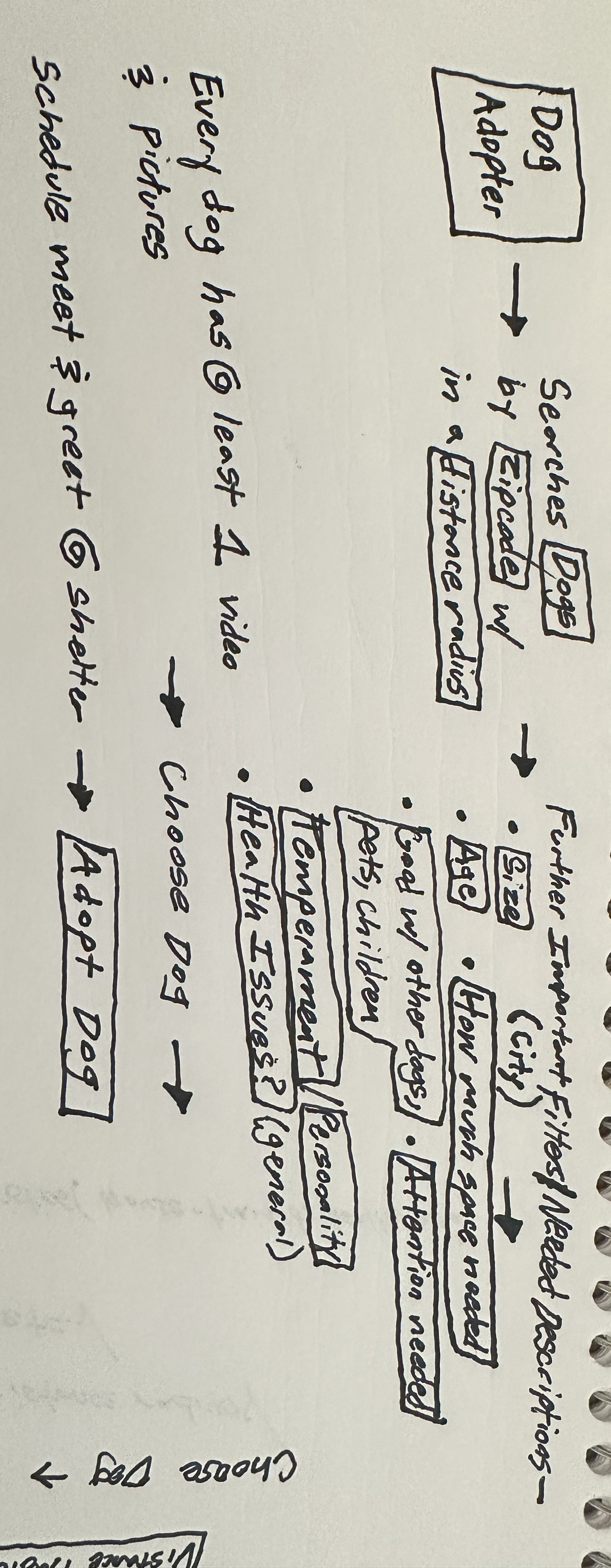
There are a few general dog adoption websites that users can choose from; however, there are none specifically meant for people living in city environments. City Pups is a website that streamlines the dog adoption process for city dwellers that includes relevant information sections on each dog to account for city considerations. Users can easily search for dogs based on their zip code with a distance radius, browse available dogs from local shelters, and set up a meet & greet with their forever dog at the local shelter it is located at.
03- Solution Overview
Main Features
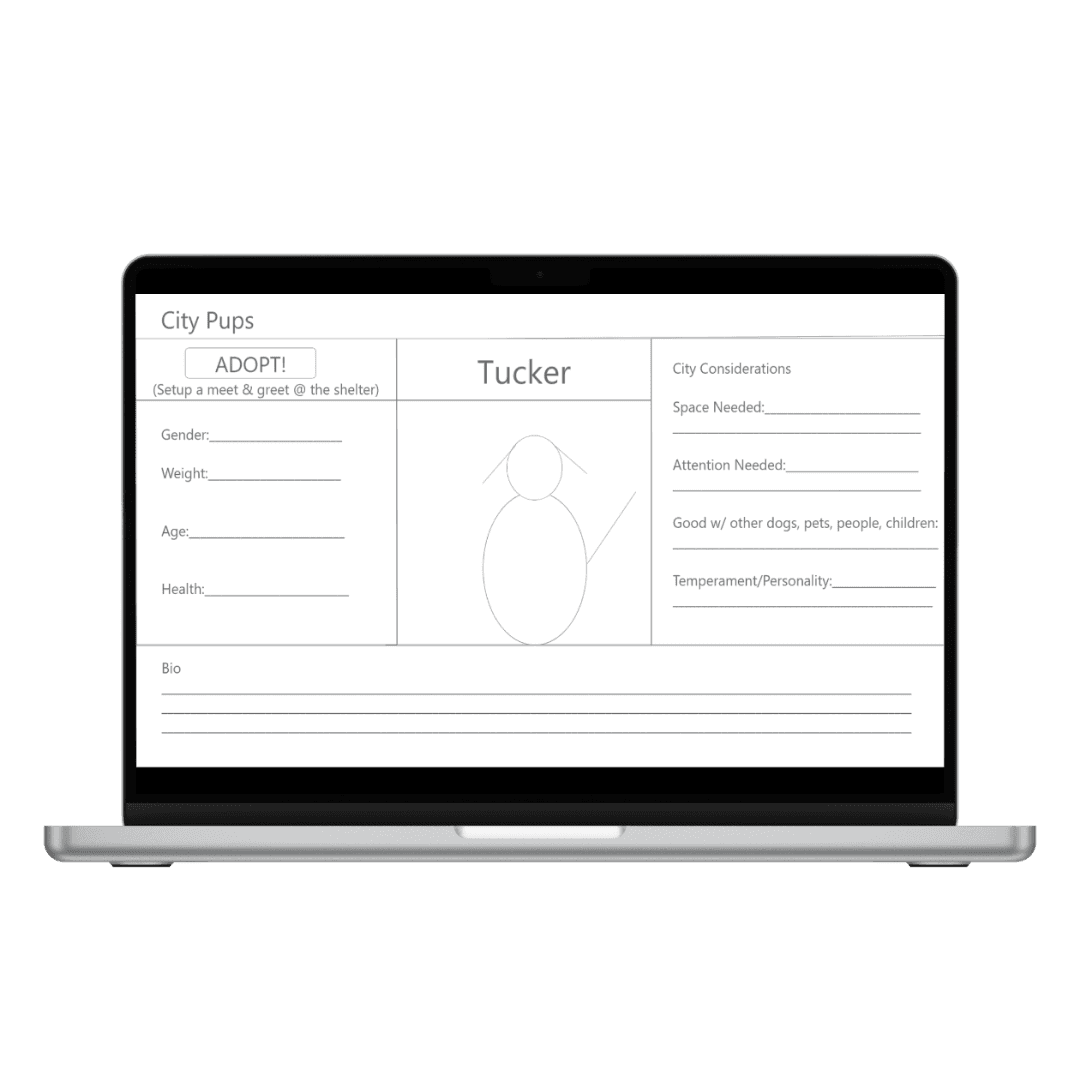
Photos & Videos
Each dog has photos and at least one video so you can get a glimpse into the dog’s personality before setting up the meet & greet.
City Considerations Section
Space Needed
A description of approximately how much space the dog needs so you can determine if your apartment is the right fit.
Attention Needed
Can you leave this dog alone in your apartment for a few hours if you do not work remotely?
Good with other dogs, pets, people, children
Will this dog be a good fit on walks in the city, with roommates, with family?
Temperament/Personality
Does this dog have a lot of energy, is it relaxed, is it playful?
Bio
Every dog has an in-depth description from its shelter to get an extra look into whether the dog is the best fit.
04- My Role
I was responsible for secondary research, creating wireframes and a prototype, and user interviews.
05- Understand & Map
The problem space is how might we adopt dogs to their forever homes while tailoring the process to the constraints of living in a large city.
From the interviews, the top consideration from potential new dog owners was if the dog behaved well in public around other dogs, people, children, etc. Interviewees valued pictures and especially videos of the dogs because they can show a little bit of the dog’s demeanor and personality.
From the usability test of a competitor’s website, the user’s top priority din choosing a dog to adopt was finding a small dog because they live in a small apartment in NYC. They also highly consider if the dog is good with other dogs, like the interviewees, the activity level the dog needs, if it has any health issues, and if it is potty trained. They also thought that videos of the dogs were the most helpful to see their personality.
06- Lightening Demos
I looked at competitor and general websites for inspiration.
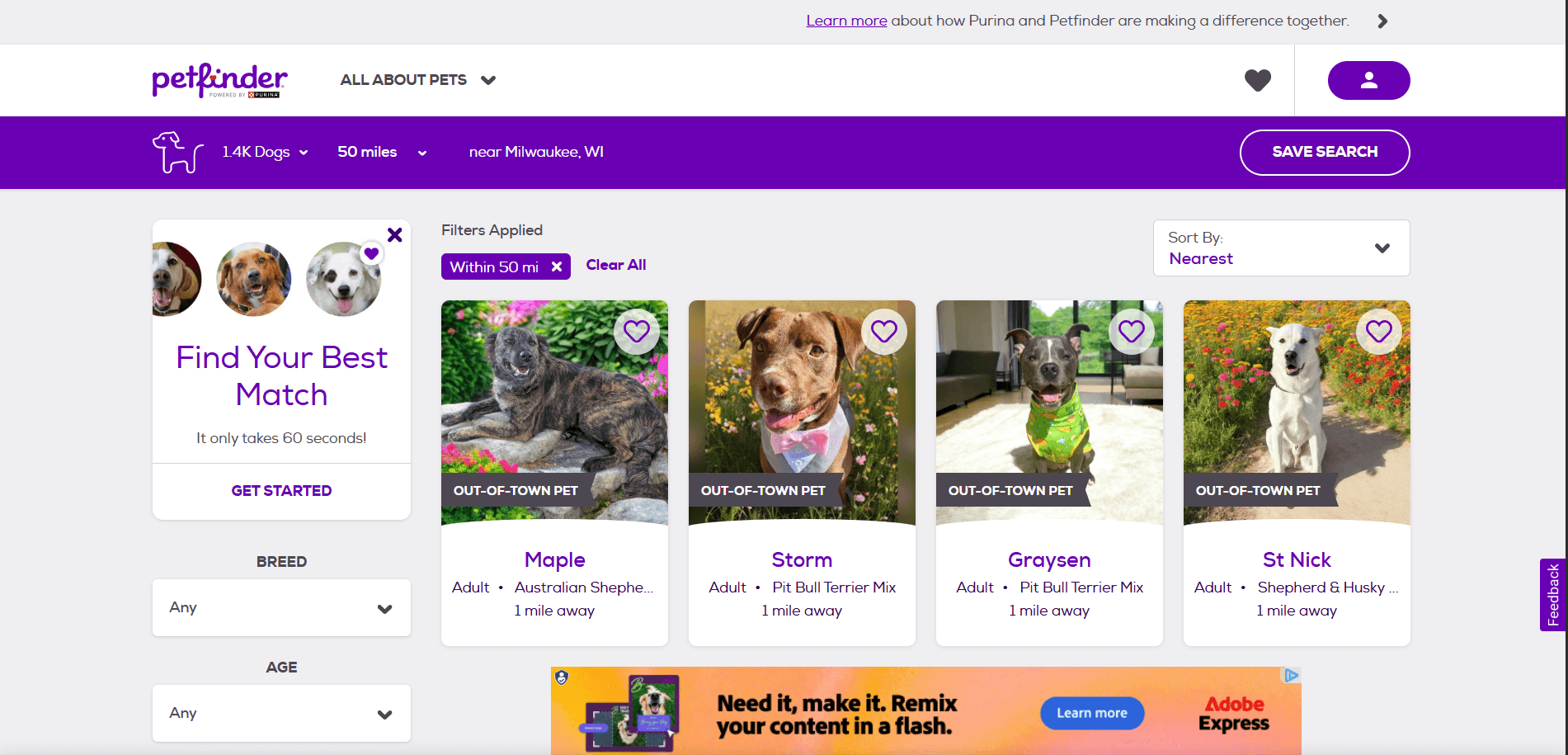
petfinder.com
Standard dog adoption site that connects to local shelters and fosters
Can search by dog + area code + distance radius (good example)
Useful filters- age, breed, size, etc.
Only some dogs have videos however
Broken down into About section with main characteristics of dog (house-trained, health, etc.) + Description of dog from shelter (a lot of good information)
wihumane.org
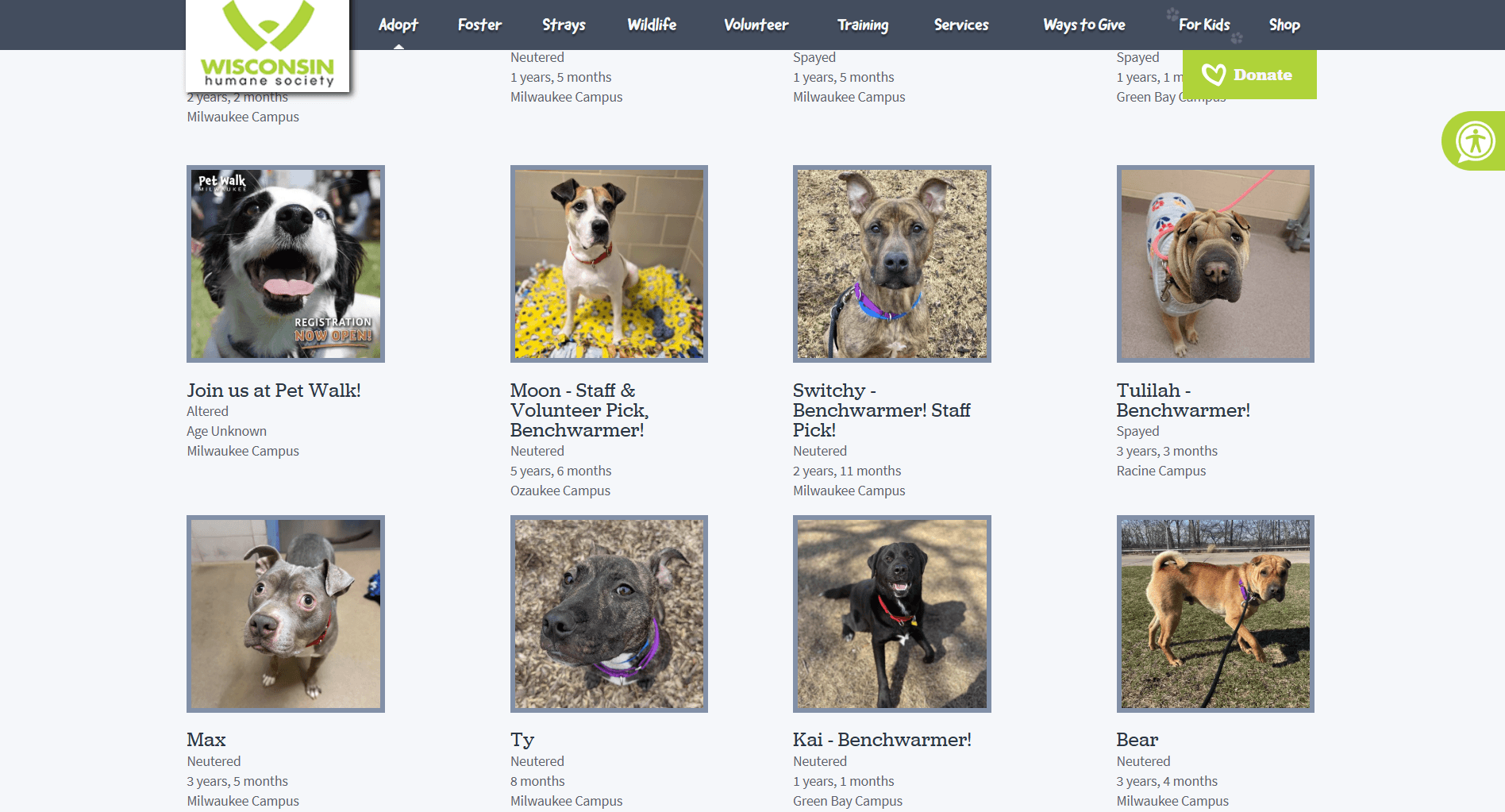
Wisconsin Humane Society Shelter Website Milwaukee
Can only search by dog, gender, and location
Many dogs only have general information with no descriptions of personality
No videos of dogs
Would really have to schedule a meet and greet with the dog to see what it is like because they provide limited information
apple.com/iphone
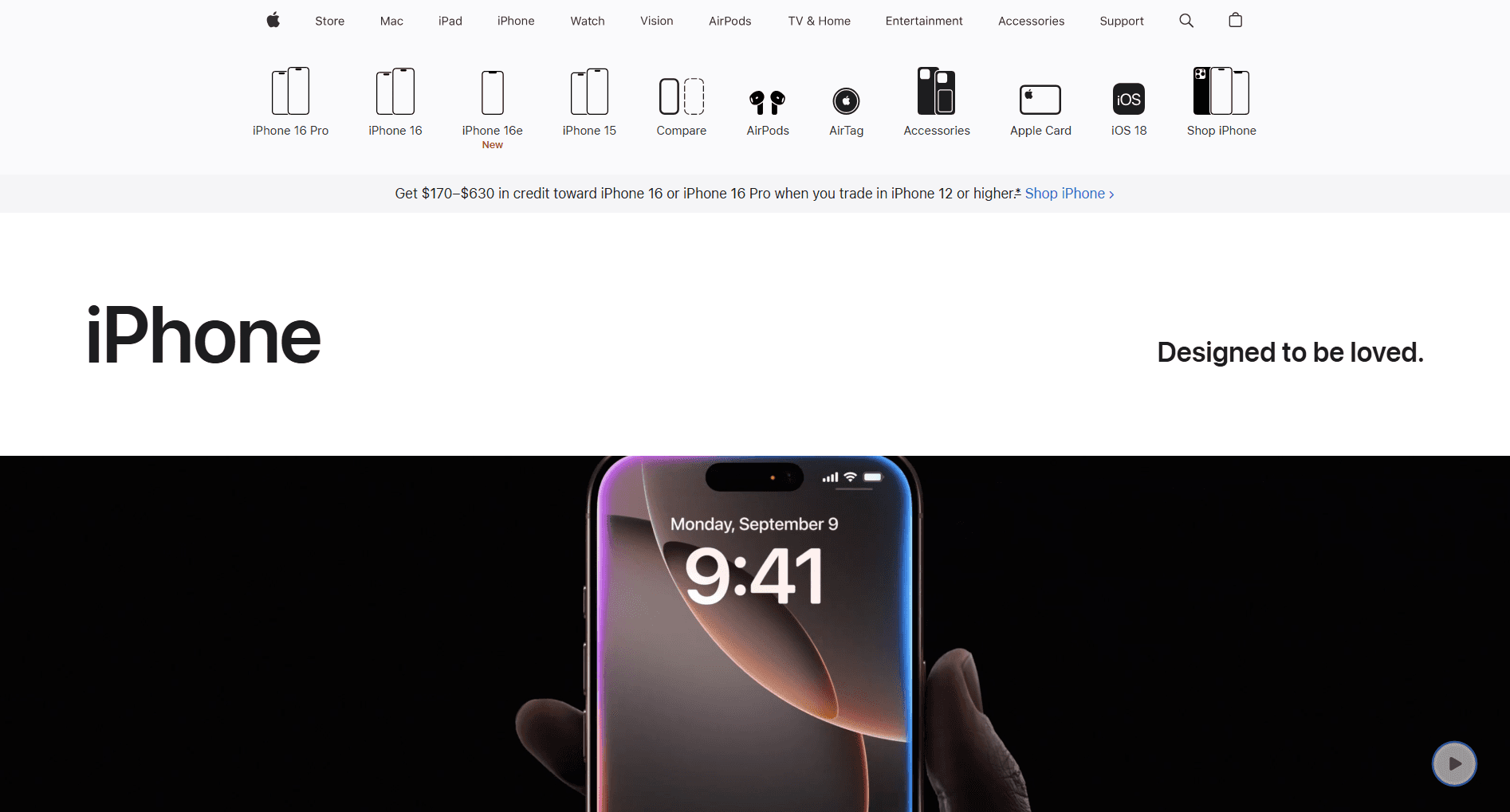
Apple Iphone shop
Can use the upper menu UI as an example perhaps for dog filters
Scrolling Iphone feature videos- mimic with dog videos and photos
Maybe each dog photo/video contains captions like Iphone videos
07- Crazy 8’s Exercise
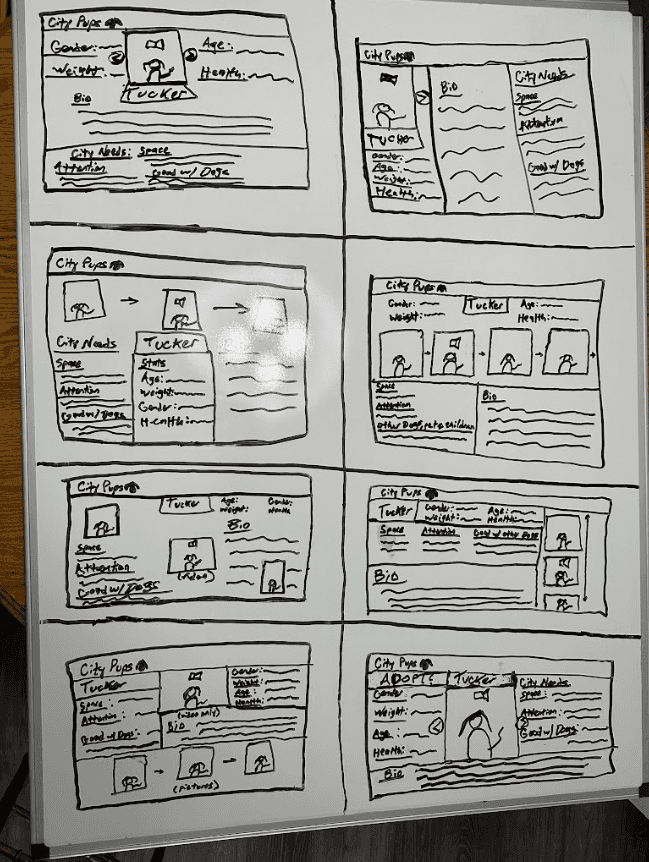
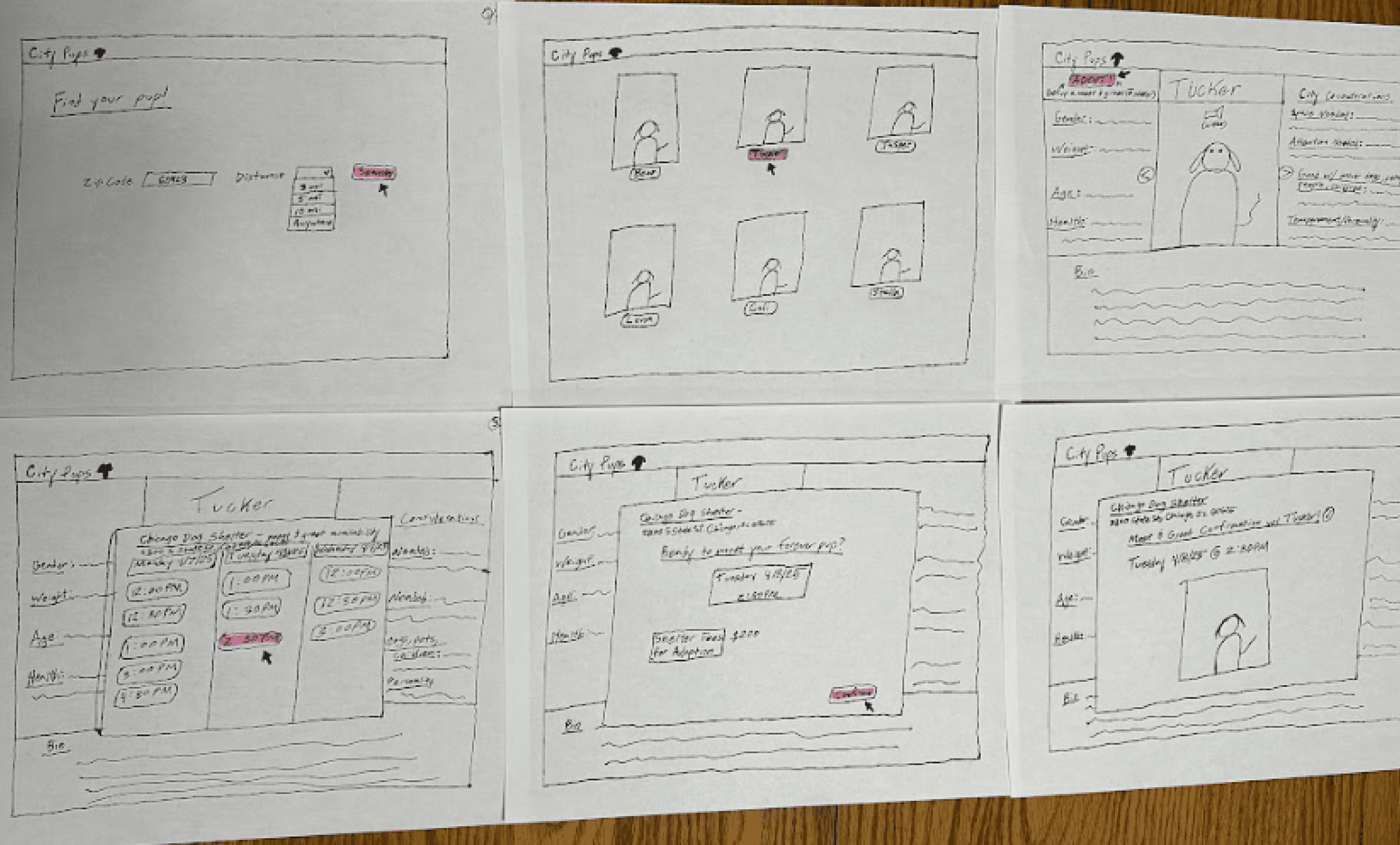
I quickly sketched 8 variations of the main dog information screen and chose the best version. I chose the dog info screen as the most critical screen because that is where the user will decide onn which dog to go meet and eventually adopt.
08- Solution Sketch
09- Storyboard/User Flow
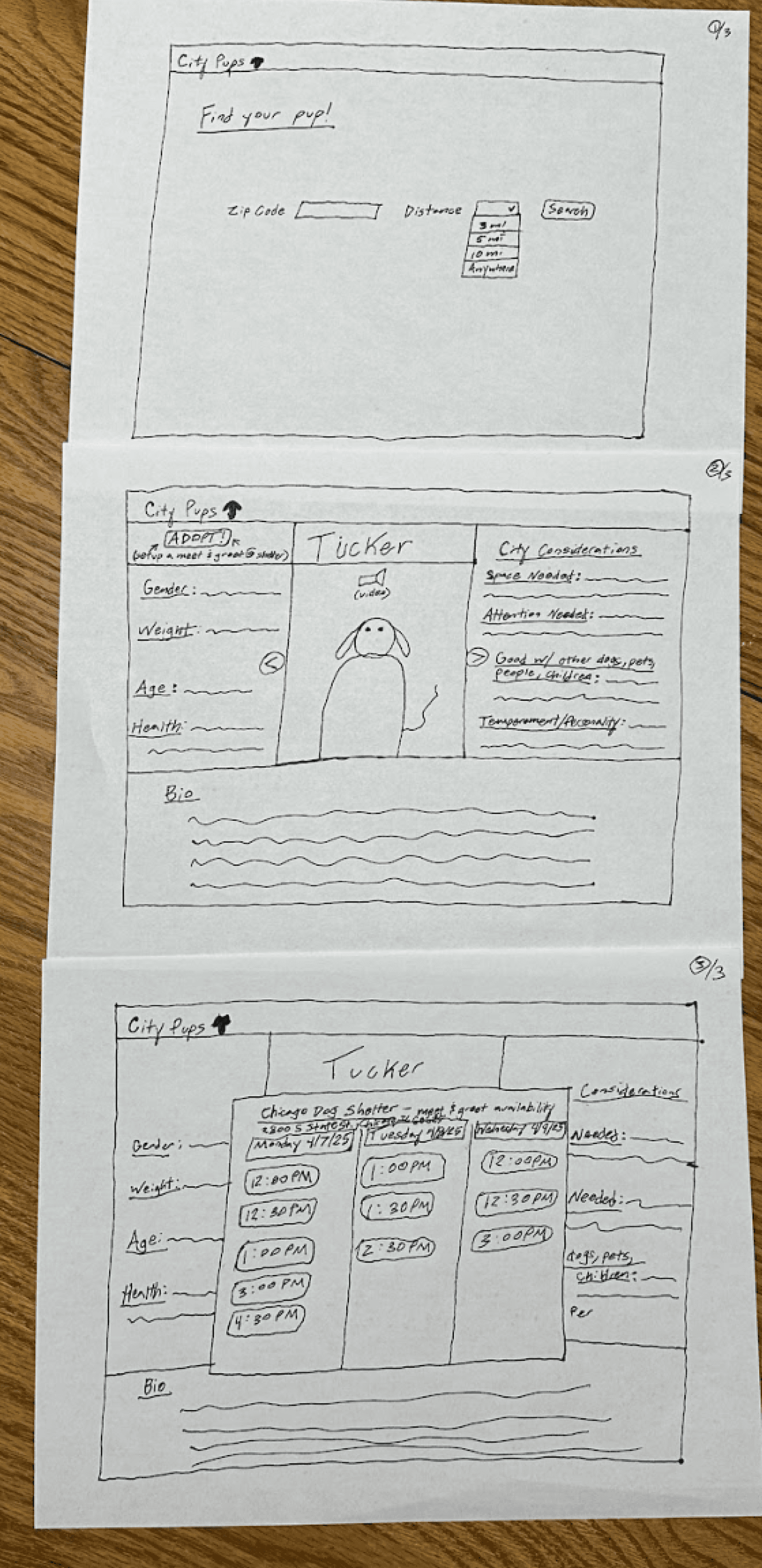
I decided to continue with the solution that I created because it included relevant dog information sections that were suggested by the interviewees, showcased the dog’s videos and pictures, and included as much information as possible on the dog that the user would need to consider adopting it. I then created a user flow.
10- Prototype
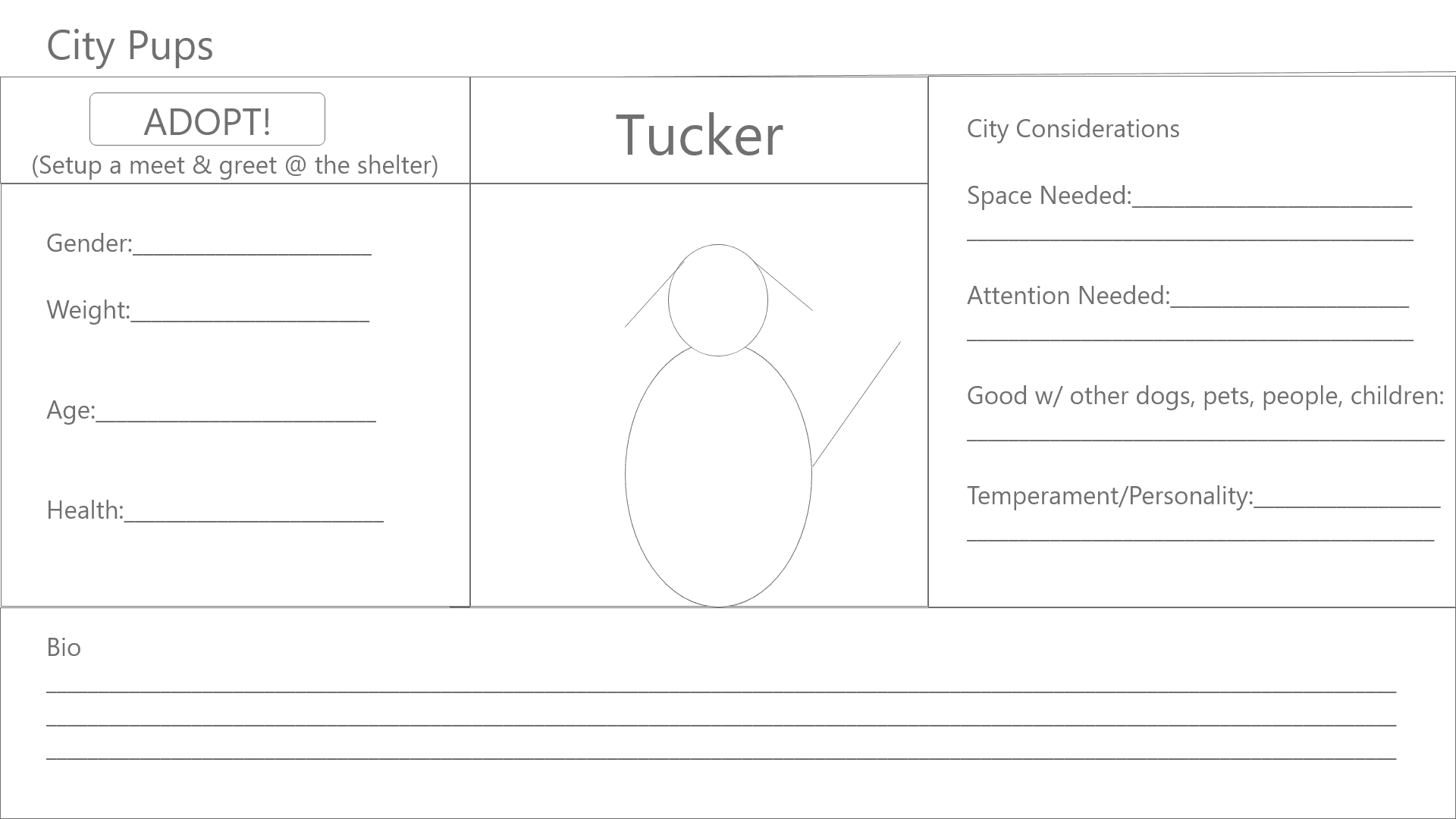
Main Dog Information Screen
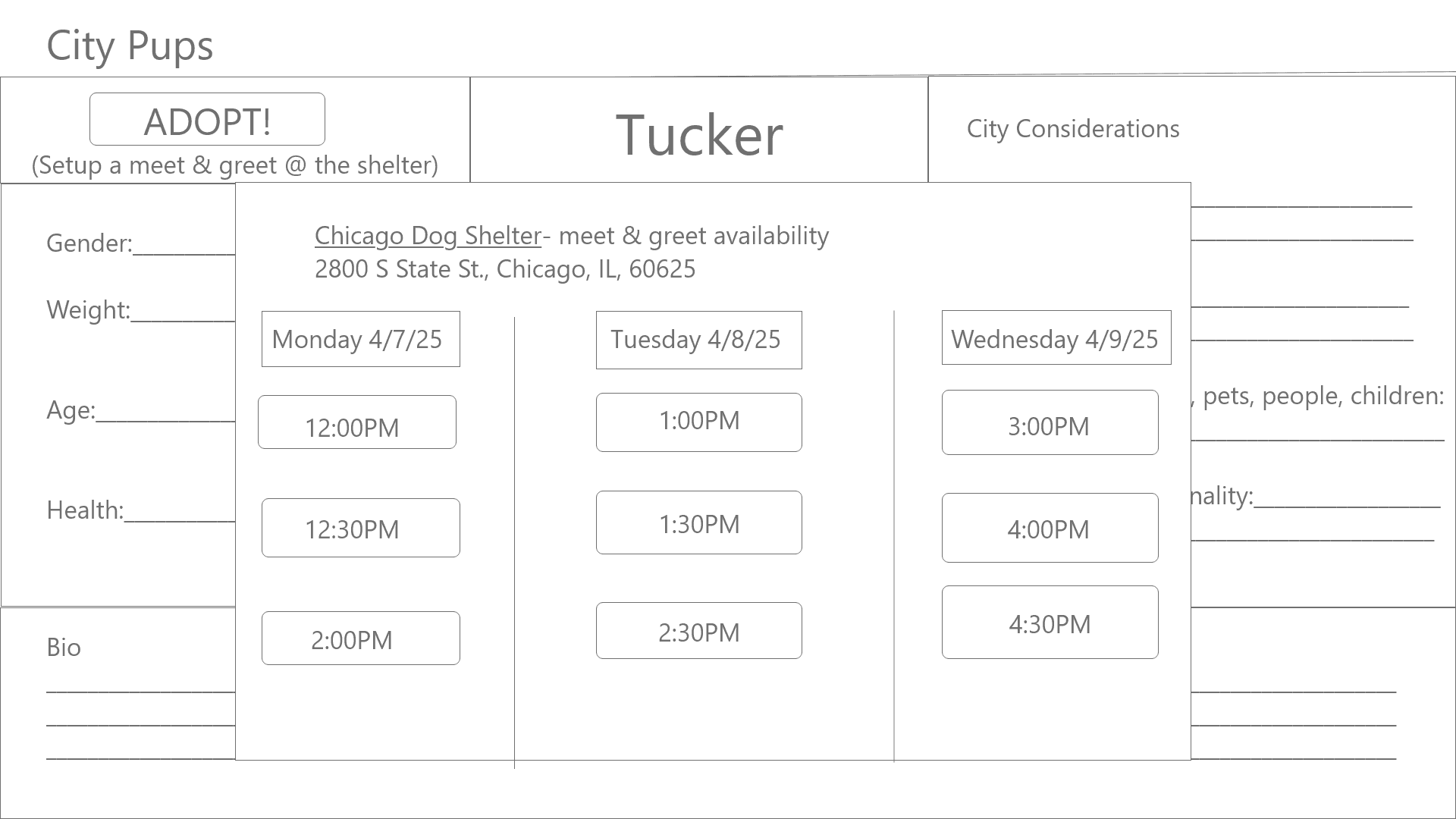
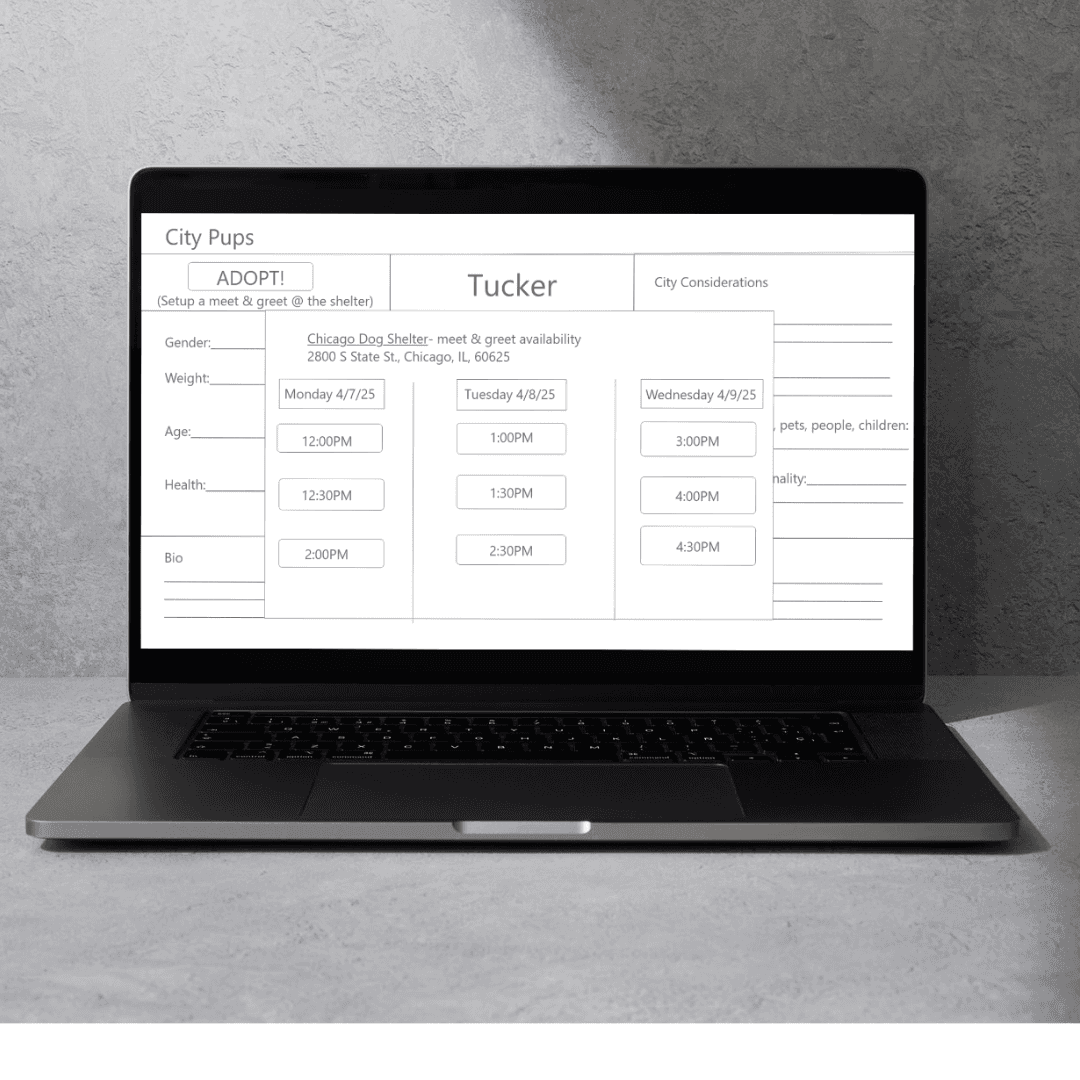
Shelter Meet & Greet Calendar Screen
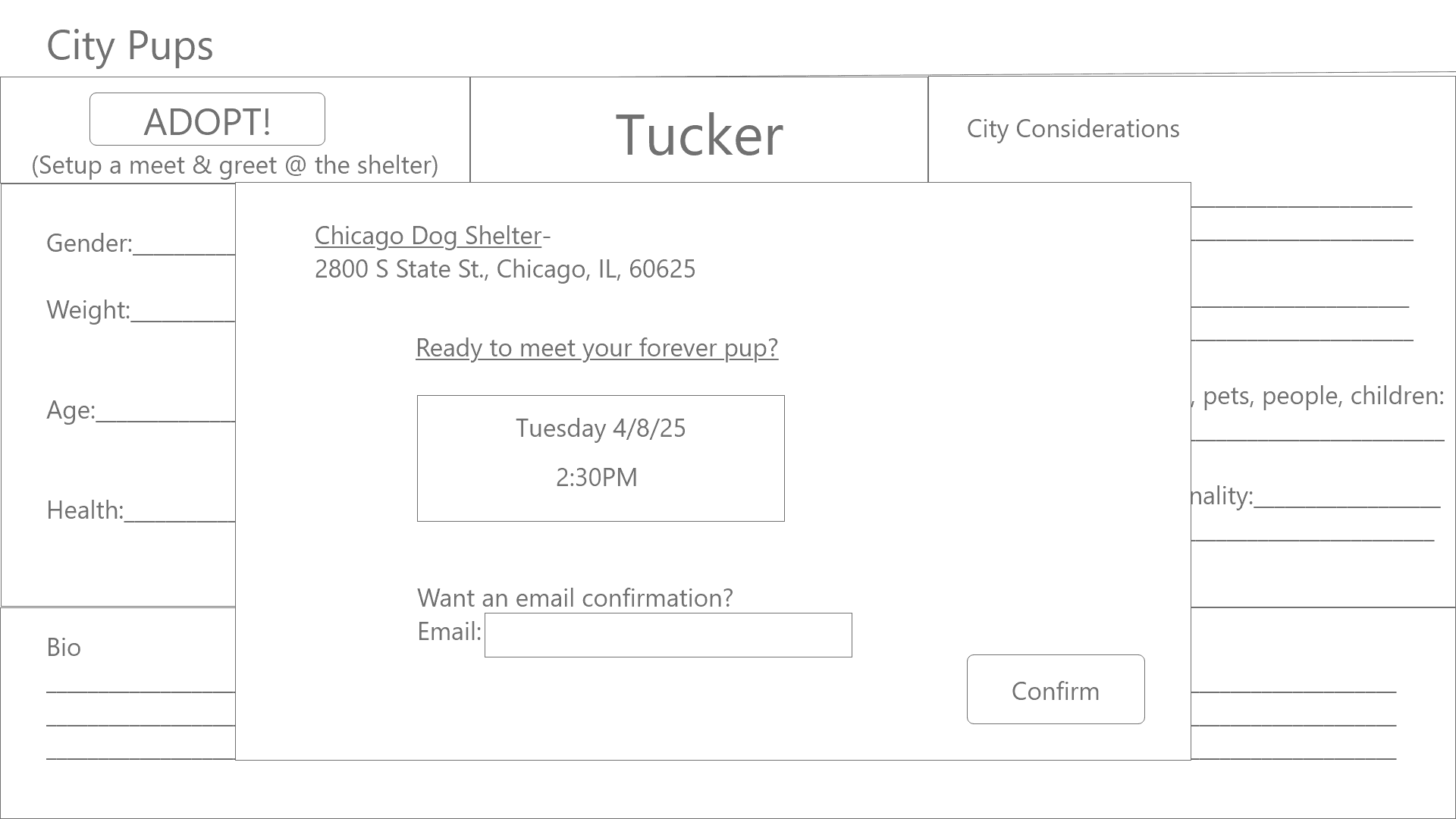
Shelter Meet & Greet Confirmation Screen
11- Interviews
I interviewed and tested my prototype with five young adults that live in the city. It was a valuable experience in connecting with and talking to users. I learned about the strengths and weaknesses with the website’s navigation and gained insights into possible new sections in the dog information and meet and greet calendar screens especially. Multiple users suggested adding the adoption fee to the main dog information screen so they feel more prepared to adopt the dog. Users liked that there was an option to put in their email so that they would receive a confirmation for the meet and greet through their email as well. Another suggestion was to make the meet and greet availability a full calendar to show more availability to accommodate for their busy work schedules. Overall, users navigated through the prototype well and expressed interest in using the website.
12- Key Learnings
The importance of rapid ideation and creation in a design sprint.
Quickly adjusting to user needs and creating many iterations rapidly lead to my success in designing the City Pups wireframe website.