TL UX
About Me
Counseling Notes
Designed to optimize counseling note-taking and strengthen the therapeutic bond with counselor and client collaboration in between counseling sessions.
Duration
12 Weeks
Key Skills
Interviews, User Persona, Empathy Map, Information Architecture, User Flows, Sketches, Wireframes, Prototype
Motivation
Mental illness runs through my family and has become a part of my life as well. It has been a very challenging obstacle to take on; however, it has made us stronger and helped us appreciate all aspects of life more. The right medications, a strong support network, and consistent counseling sessions have enabled my family and I to thrive.
Context
01-Problem
According to the Mental Health America Organization, 1 in 5 adults in the US in 2024 experienced some type of mental illness or about 60 million Americans in total. Mental illness can negatively impact an individual’s day to day life and work life. However, therapy is a proven method of reducing mental health symptoms.
The American Psychological Association states that there is a 75% success rate and symptom improvement for those receiving psychotherapy within about 15-20 sessions. So, as designers how can we optimize the therapy/counseling process for both clients and counselors with a mobile application? Perhaps we take a look at it from a counseling notes perspective?
02- Brief
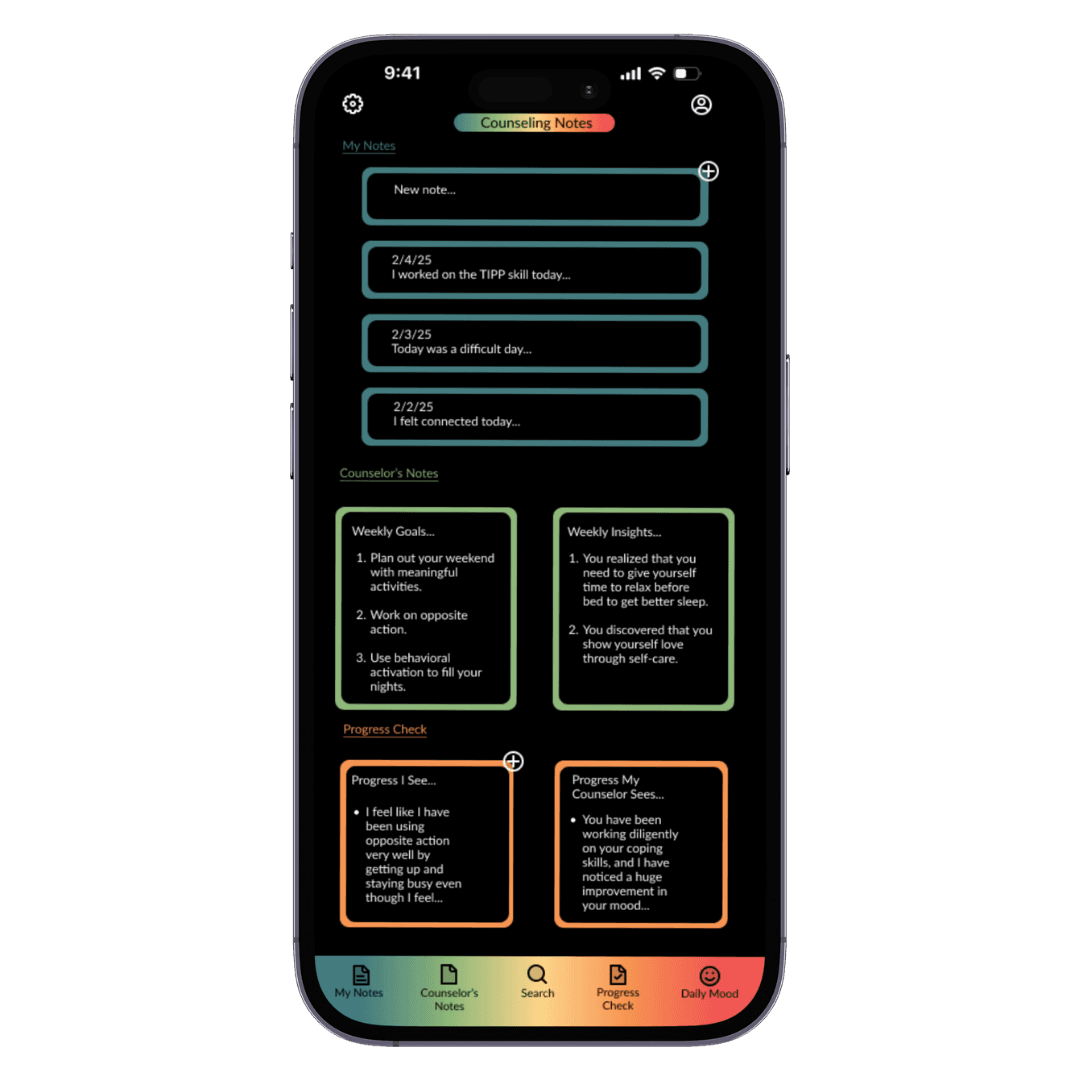
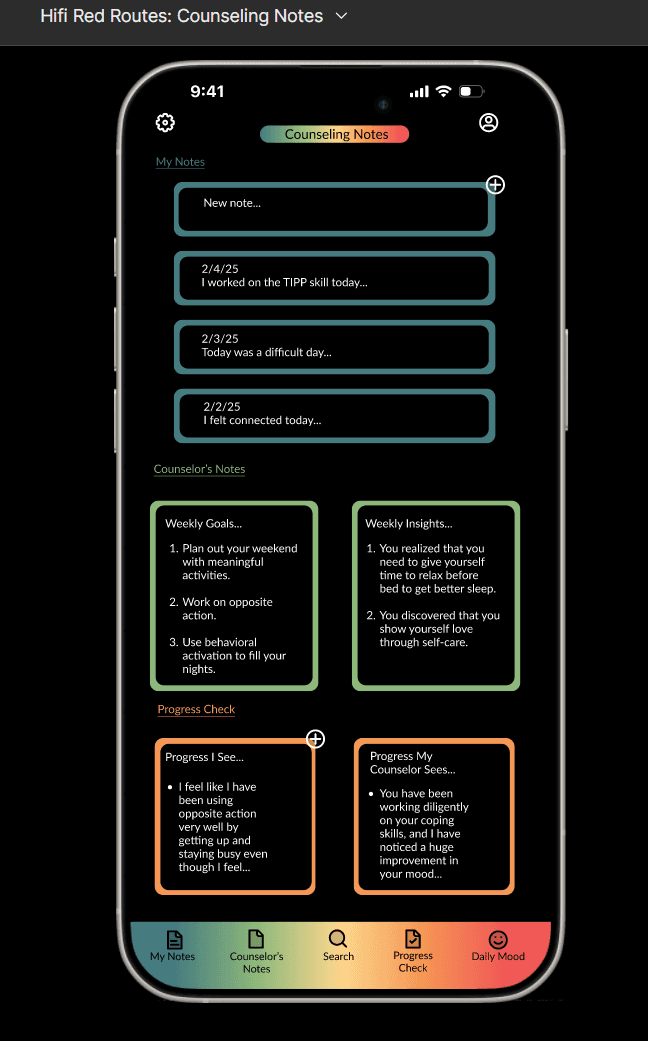
There are many general note-taking apps that smartphone users can choose from; however, none of them are currently tailored to the counseling note-taking experience for people that attend counseling sessions to improve and maintain their mental health. Counseling Notes is an app that enables clients to keep well organized notes on their counseling sessions, helps clients keep track of their weekly goals and insights from their counselors, allows clients to compare their progress with their counselors’ view of their progress, and enables clients to track their daily moods.
03- Target
Counseling notes was designed primarily for clients participating in counseling sessions to take and keep track of their counseling notes, but also benefits their counselors with better client-counselor teamwork and collaboration in between counseling sessions.
04- Solution Overview
Main Features
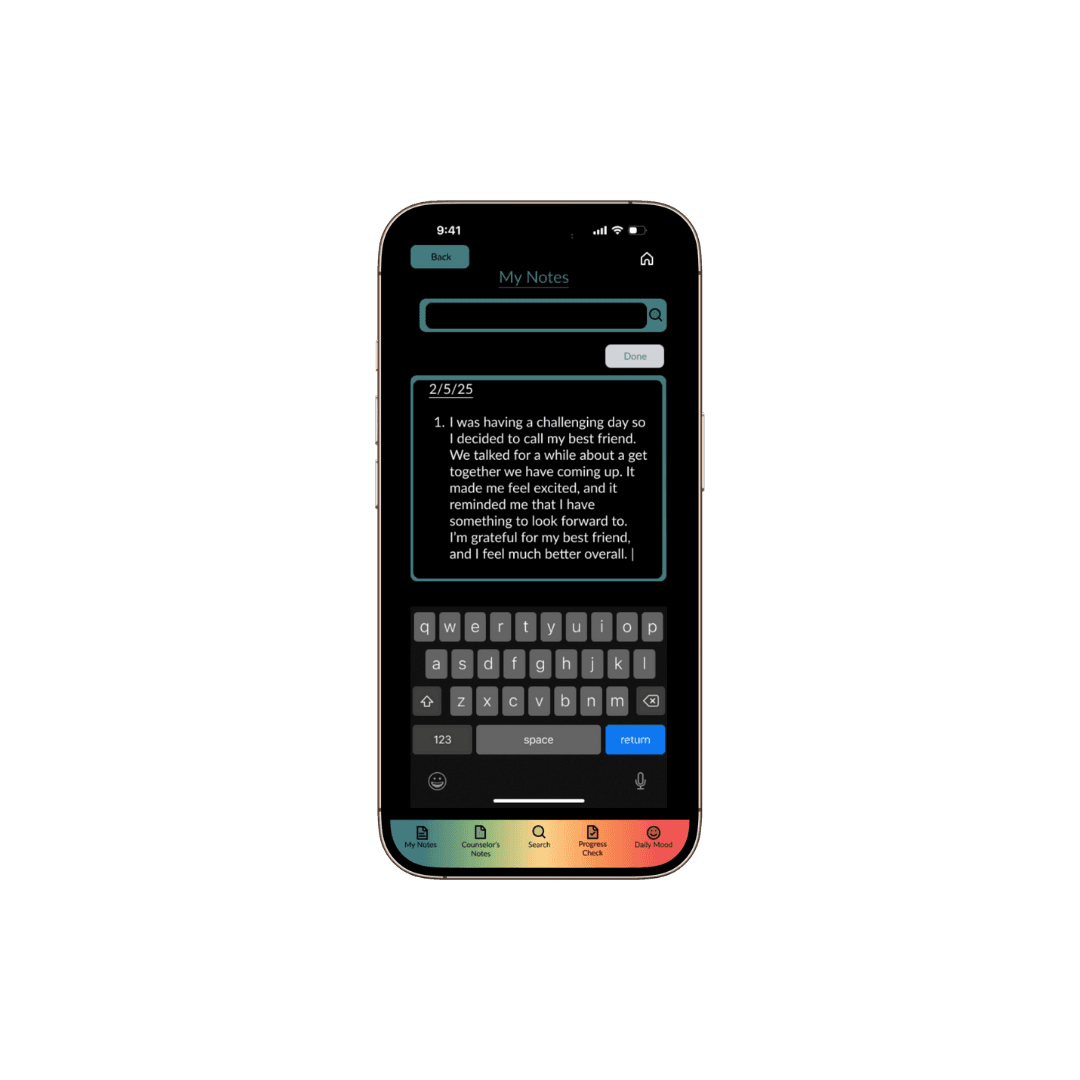
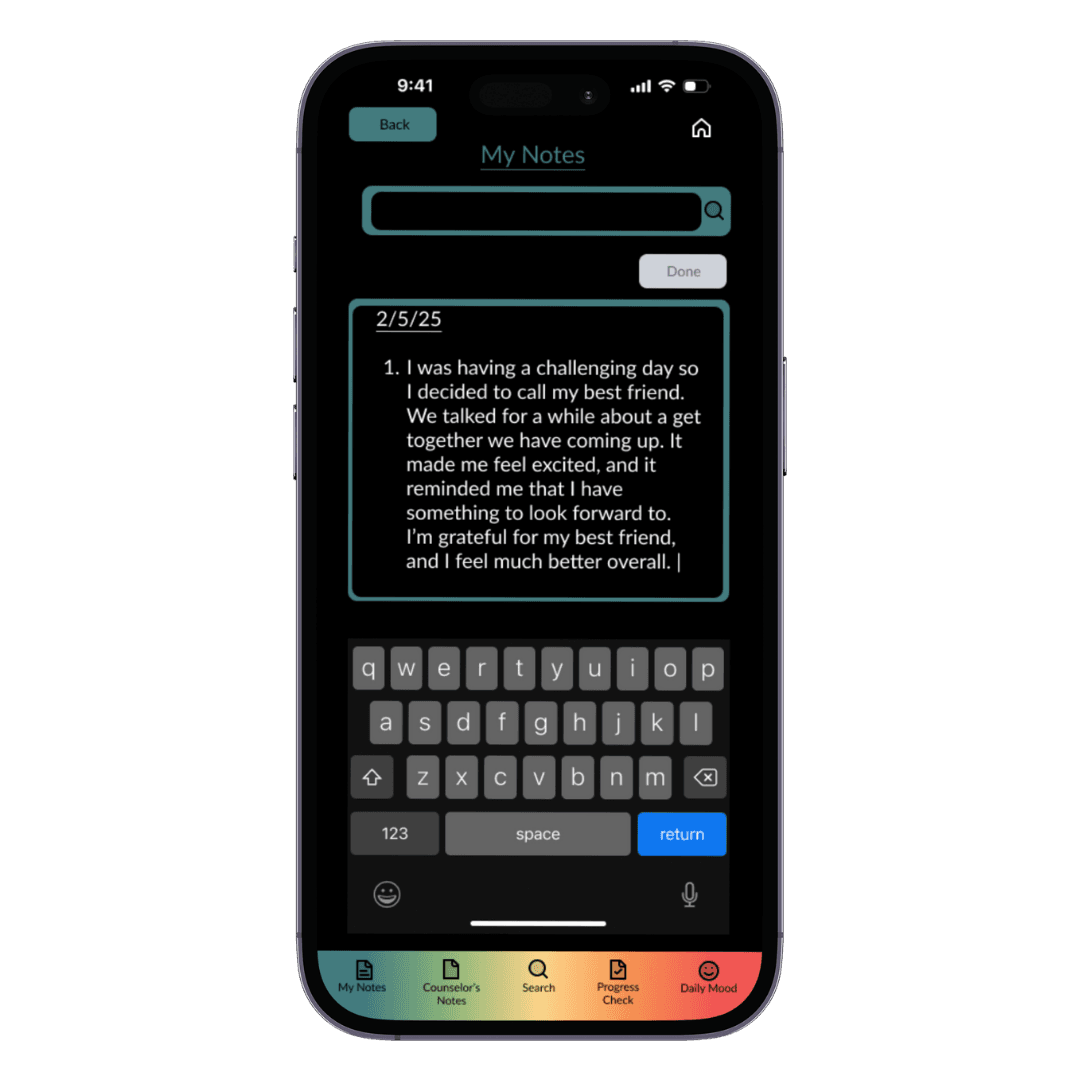
My Notes
Write down all of your “a-ha” moments, important things you want to work on, coping skills you want to try, or just clear your head by getting your thoughts down on the app.
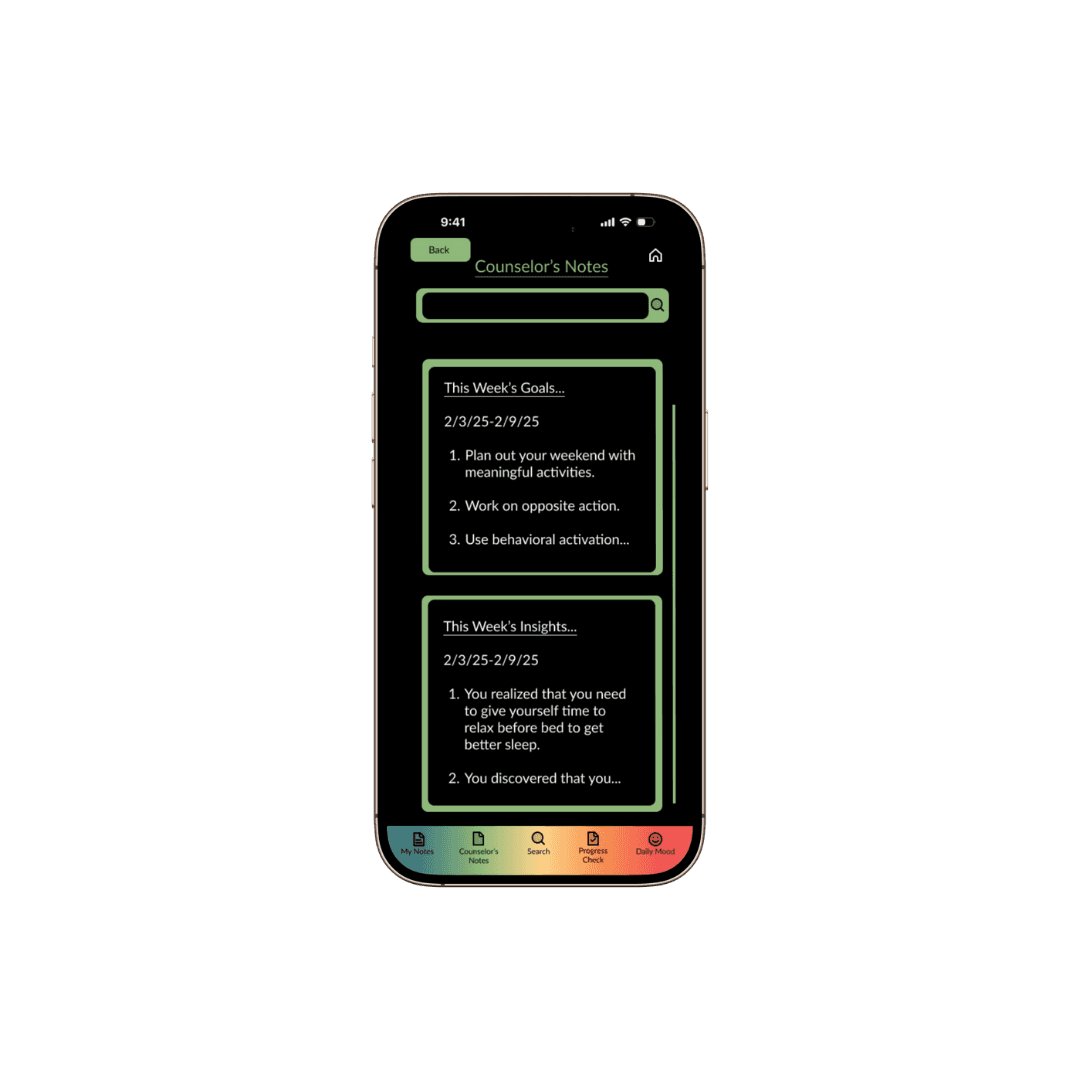
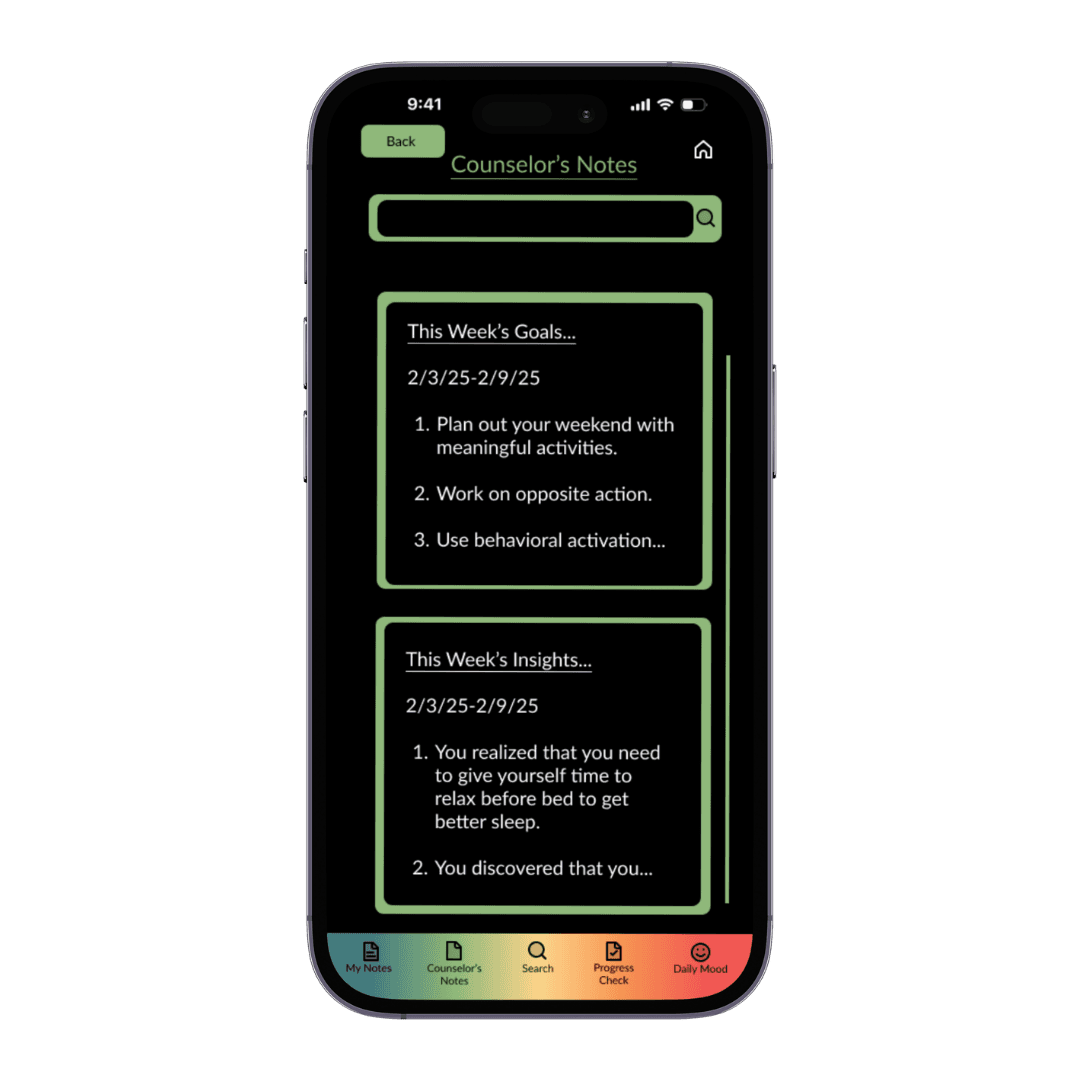
Counselor’s Notes
Your counselor types out these sections for you so that you can remember what you worked on last session. They include yotur weekly goals of what you want to accomplish and your weekly insights or major realizations that you have made that week.
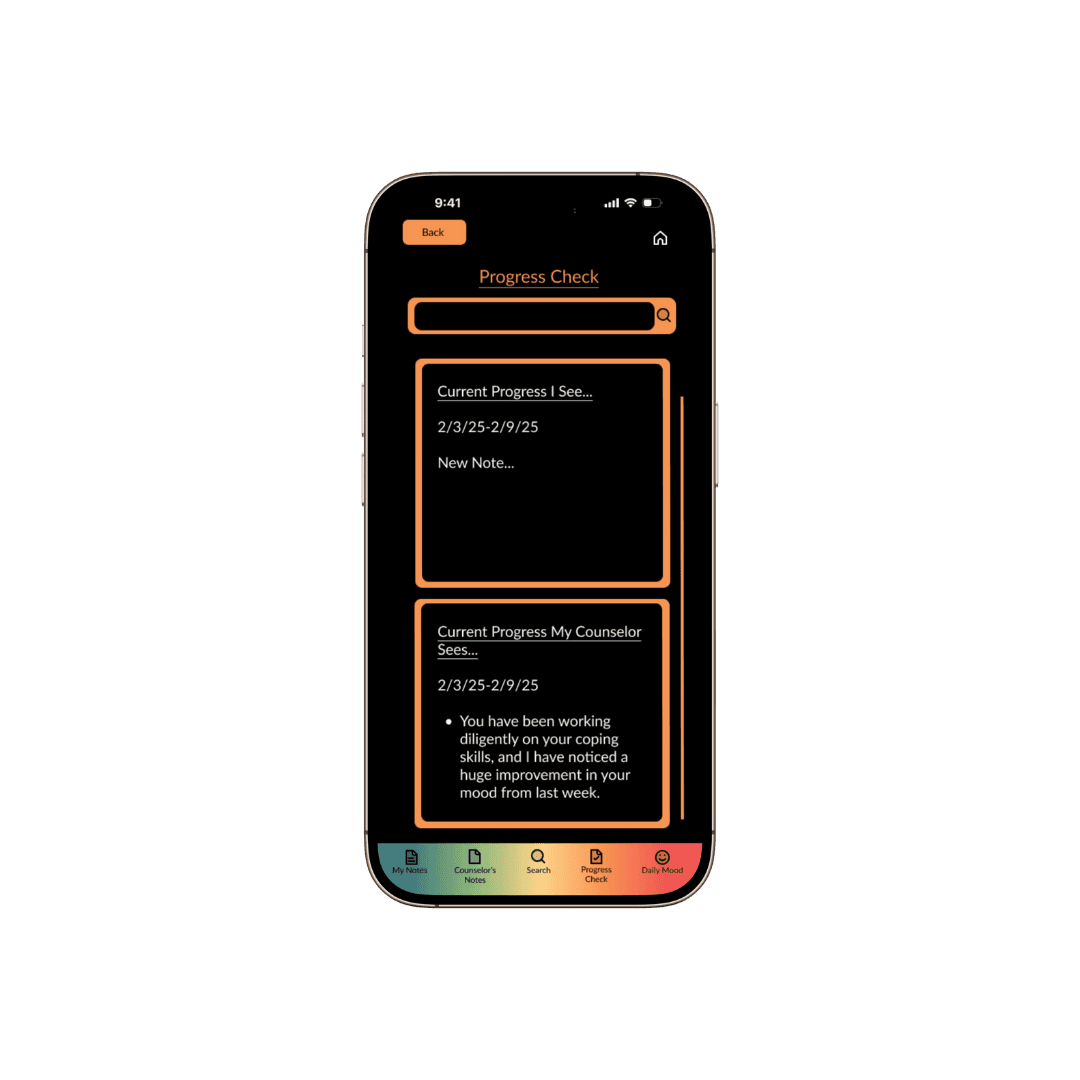
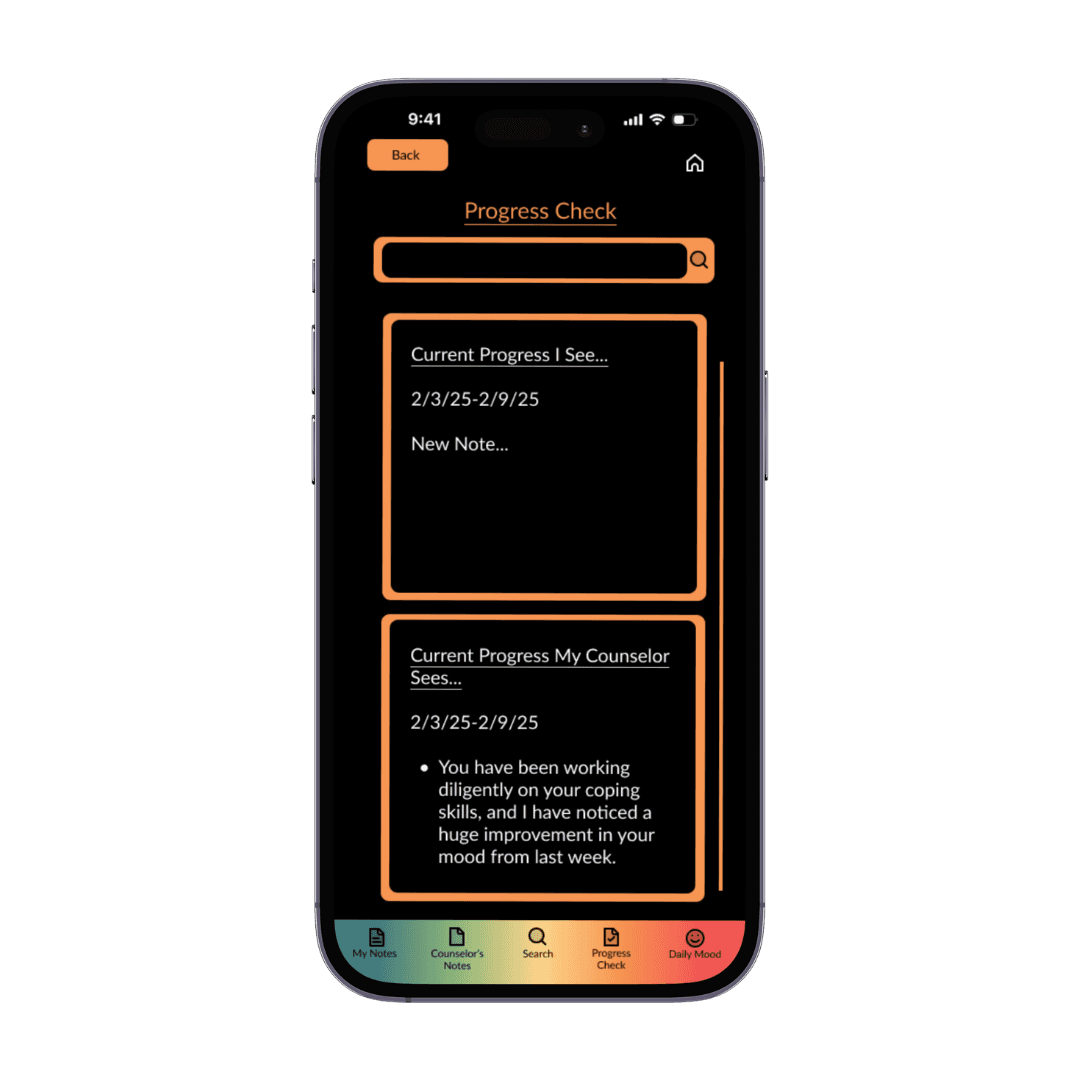
Progress Check
Reflect and type out the progress that you have made during the week, then compare it to the progress that your counselor sees in you. Know when you are on the right track and when you have specific areas that need more attention.
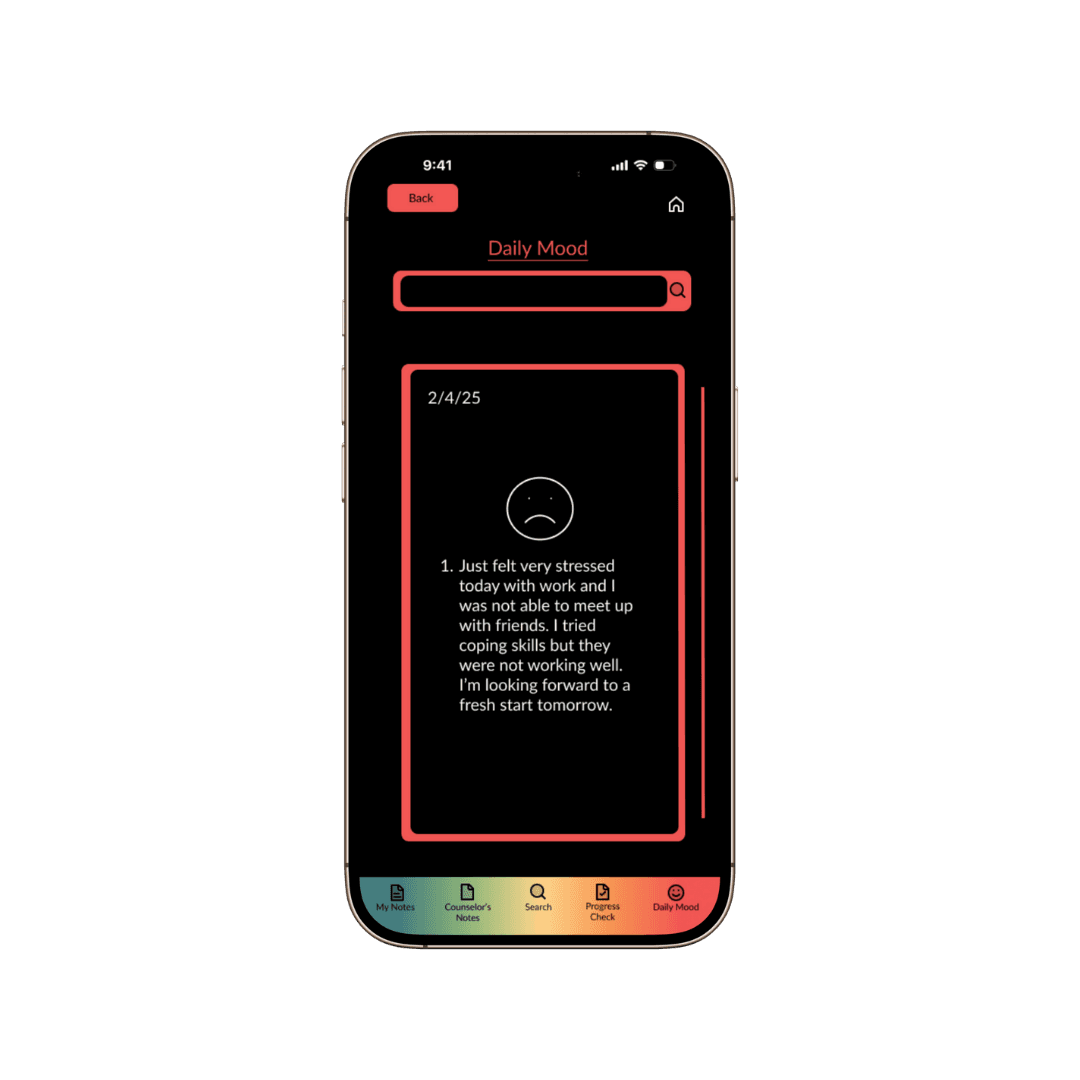
Daily Mood
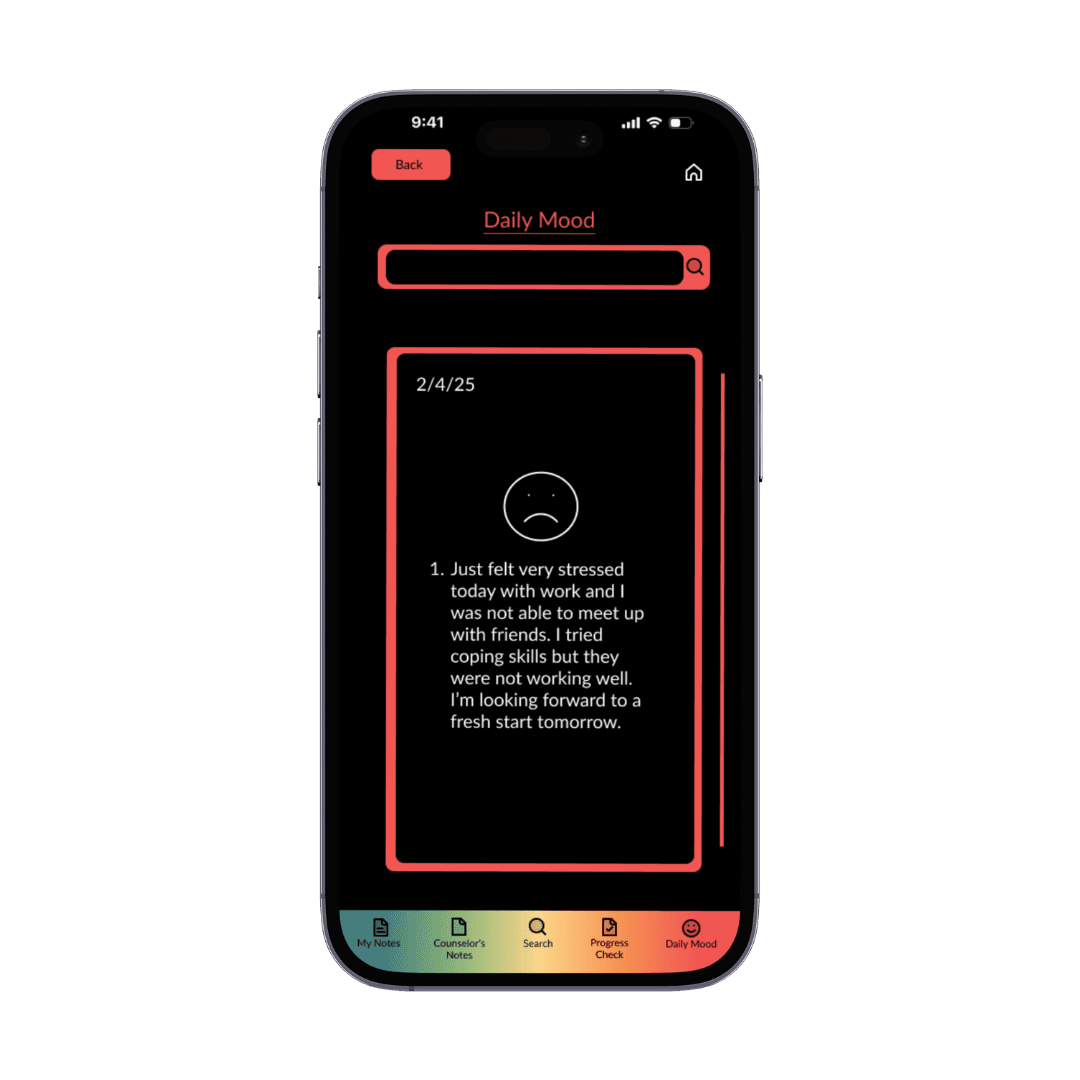
Track how you feel overall everyday with an emoji and a description of the day so that you can see patterns in your moods and recall and repeat good days.
05- My Role
I was responsible for user research and usability testing, creating the user interface, and the information architecture.
Research
06- Interviews
Three interviews were conducted with current counseling clients who were using general notes apps on their phones and laptops to take their counseling notes.
Lack of Organization
Every interviewee mentioned that their current notes are scattered or disorganized in some way.
Older Notes Get Lost
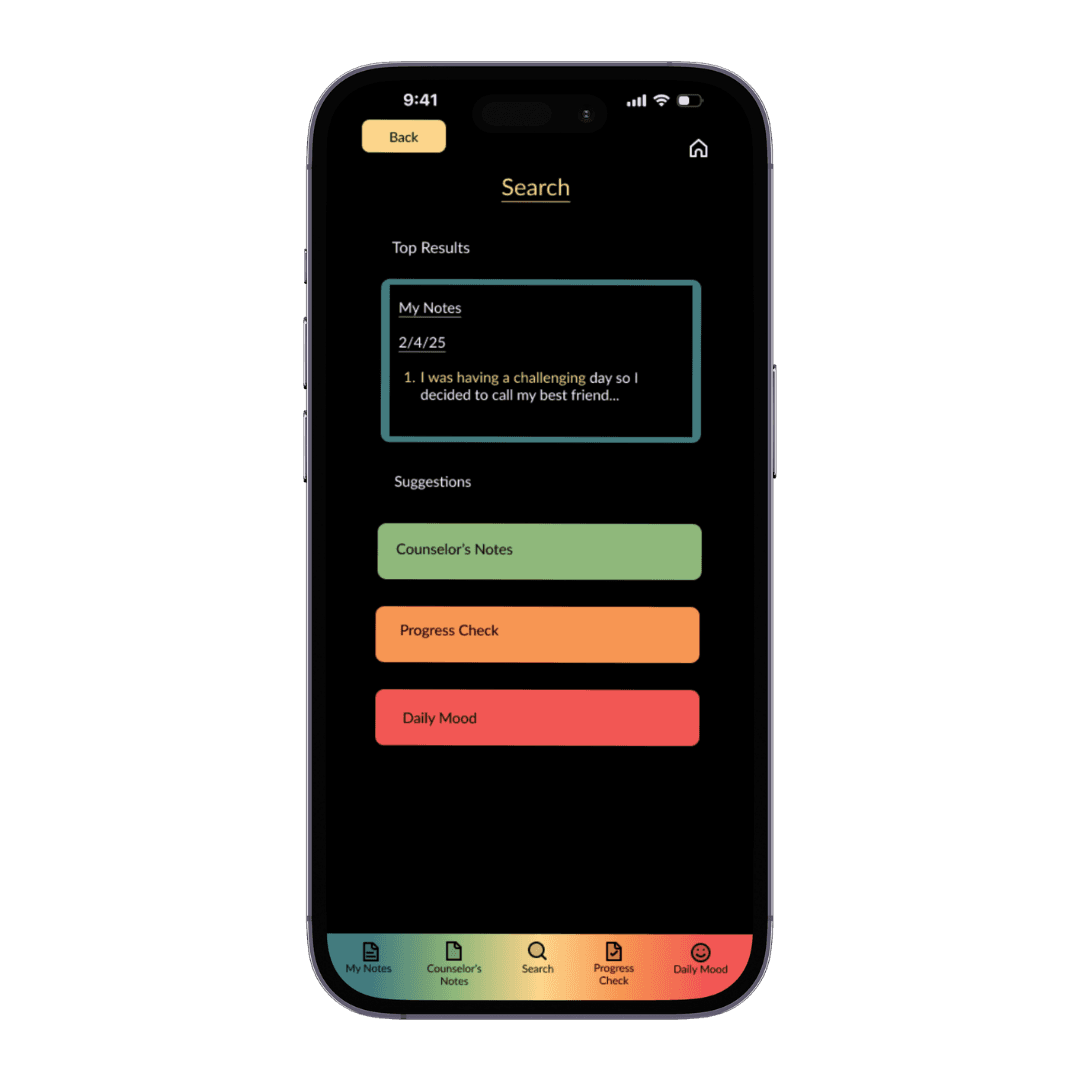
They stated that it is difficult to find older notes and their current note-taking app may not have a search feature.
Accessibility & Privacy
They all valued the privacy and security of their counseling notes as well as having them on their phone so that they are accessible anywhere at any time.
Tracking Their Progress
They wanted to be able to track their progress on the app with their counselor’s input to see where they need to put more work into and where they are excelling.
Teamwork
Create a stronger collaboration between clients and their counselors to improve the therapeutic relationship.
Promoting Mental Health
Design for clients to get more involved in their mental health and stay on top of their counseling goals.
Ease of Use & Simplicity
Design an aesthetically pleasing app that is simple and easy to use for counseling note-taking.
07- Goals
Organization
Create different notes sections with a seamless search feature to easily find older notes.
08- User Persona
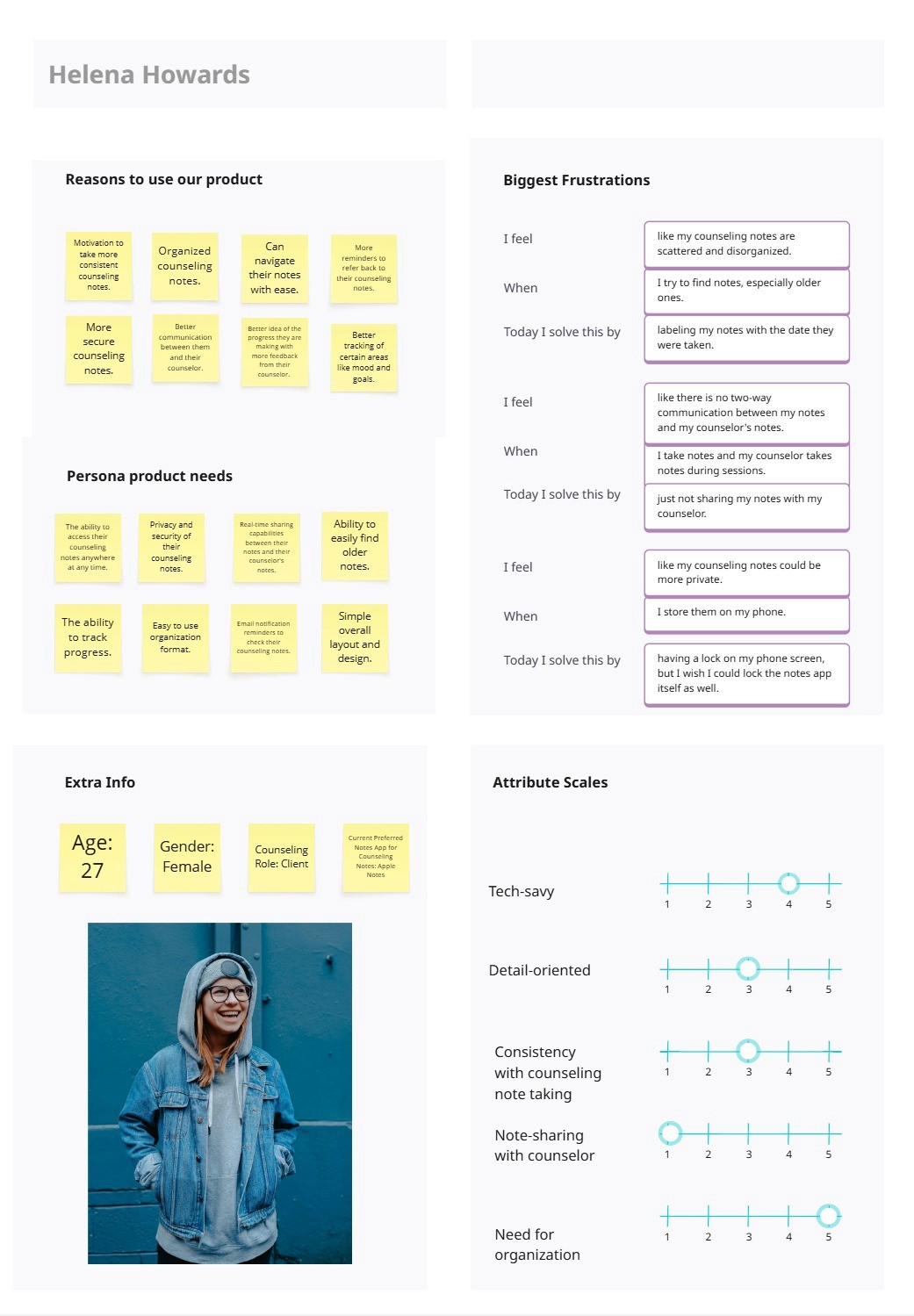
The Busy Young Adult Counseling Client
Wants to stay on top of their counseling notes and their progress in counseling while juggling their responsibilities and enjoying everyday life.
09- Empathy Map
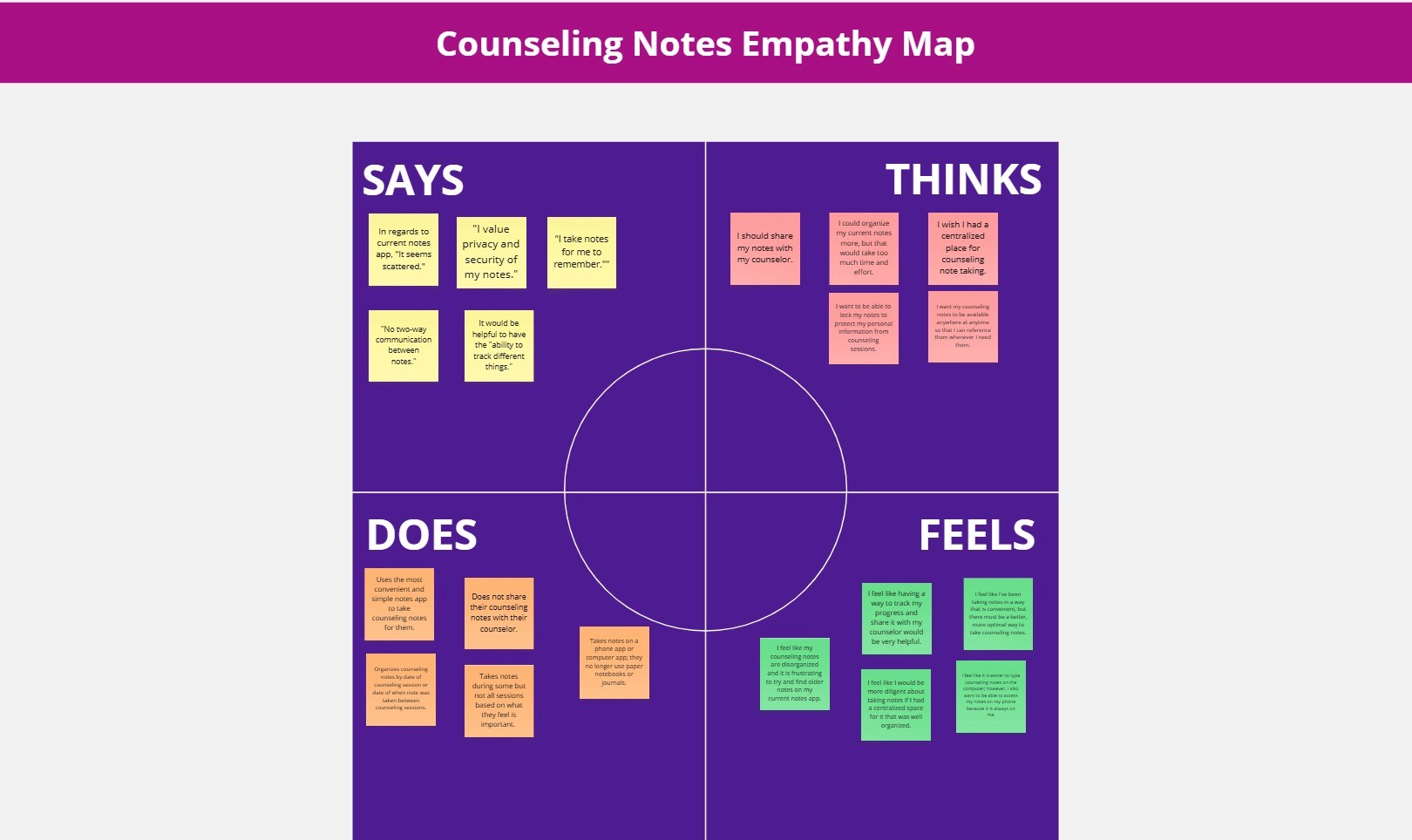
I analyzed what users from the interviews were saying, thinking, feeling, and doing to understand them more and guide the design process.
Experience
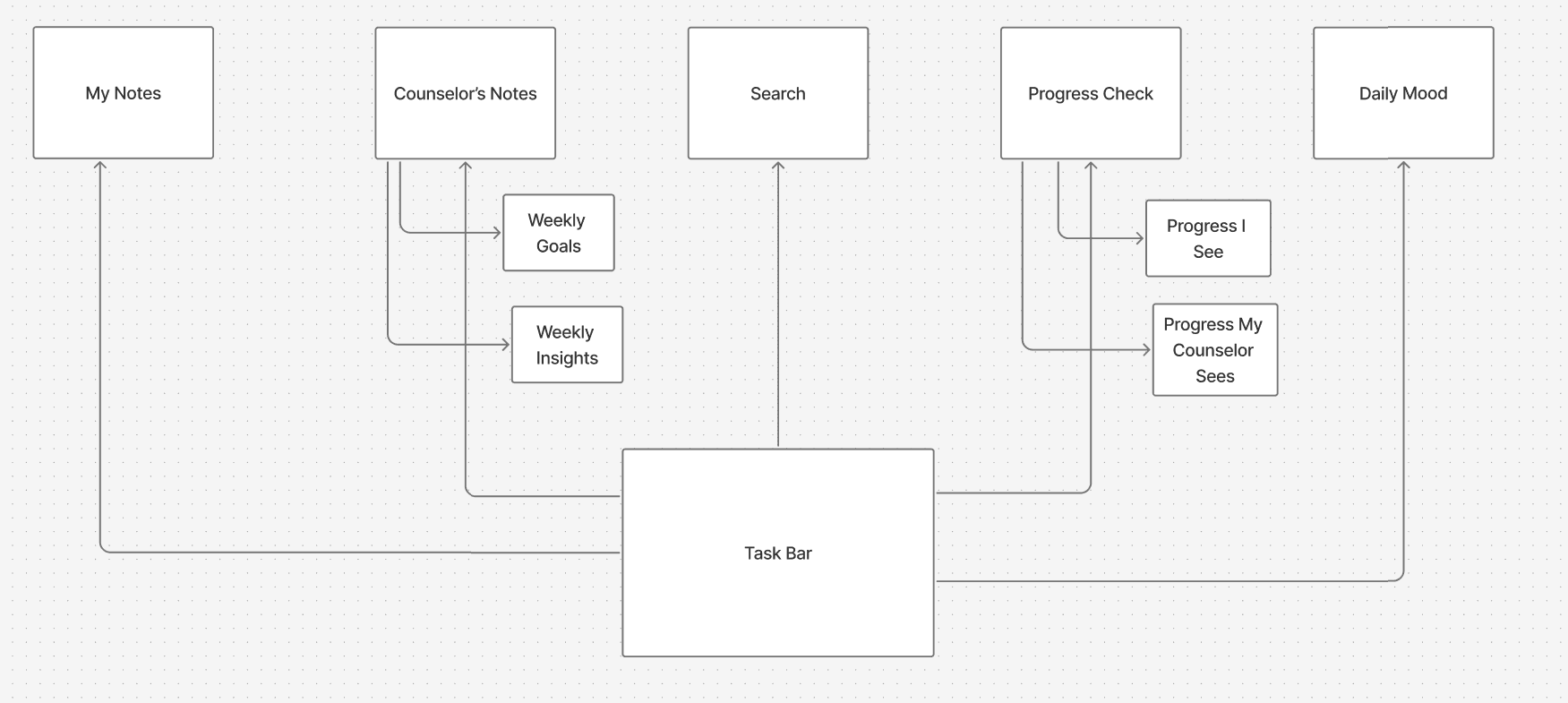
10-Architecture
I focused on user needs to create each notes section within the app custom tailoring them to fit all of the user suggestions during the interviews such as the progress check section that they asked for.
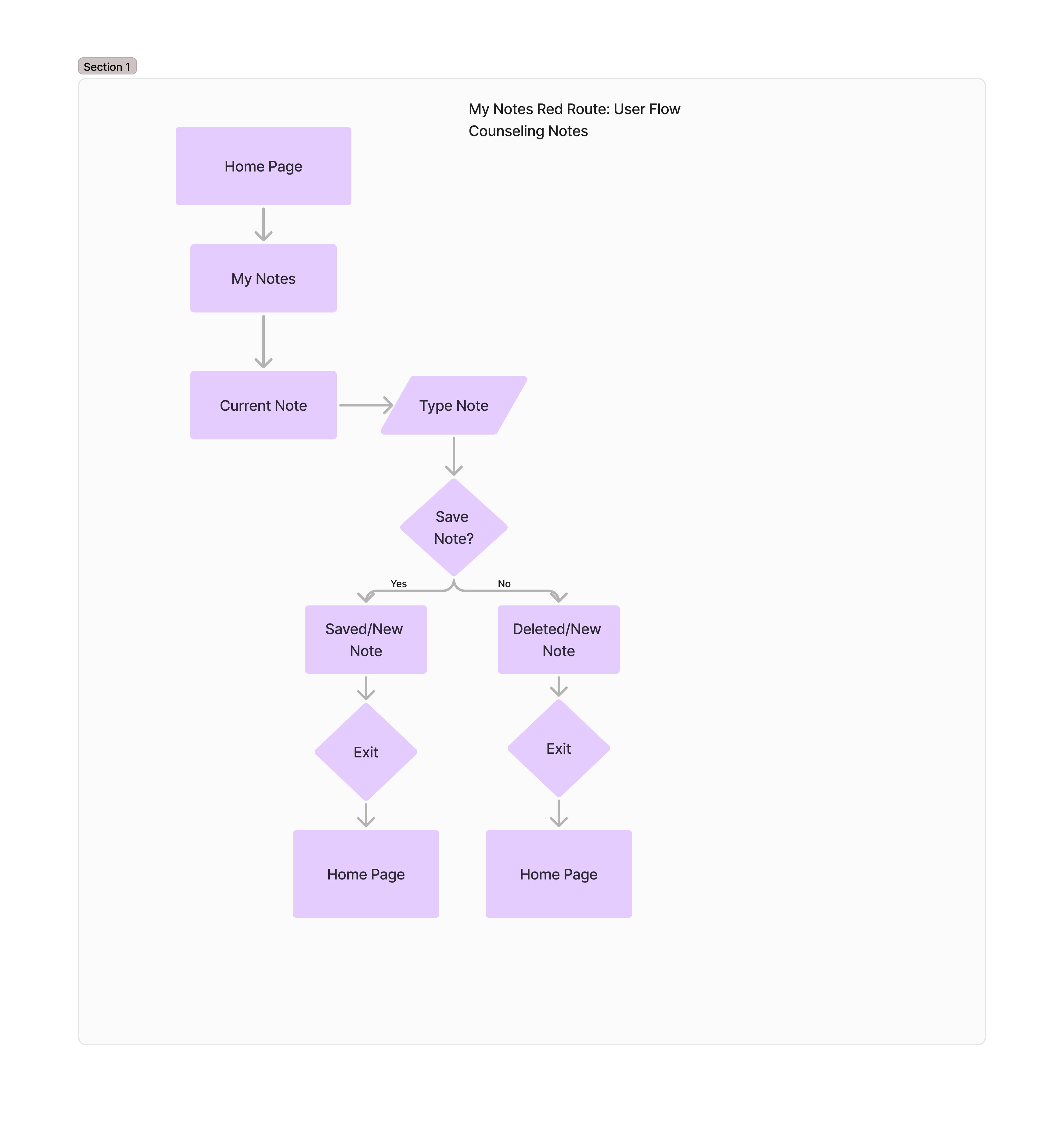
11- User Flow
I created these diagrams to show how the user would navigate through the app and accomplish specific tasks that are important to them.
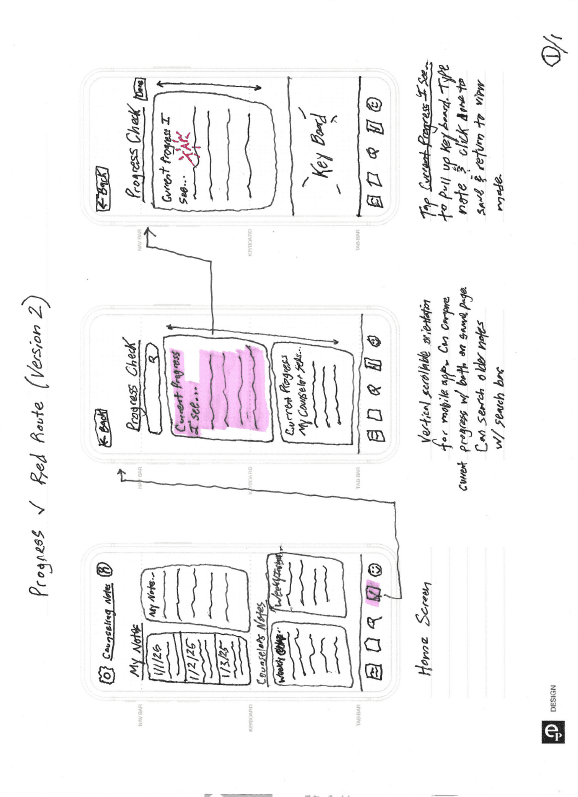
12- Sketches
Sketching first allowed me to create and iterate many different ideas quickly with an open mind before committing to them by taking time to design them on the computer.
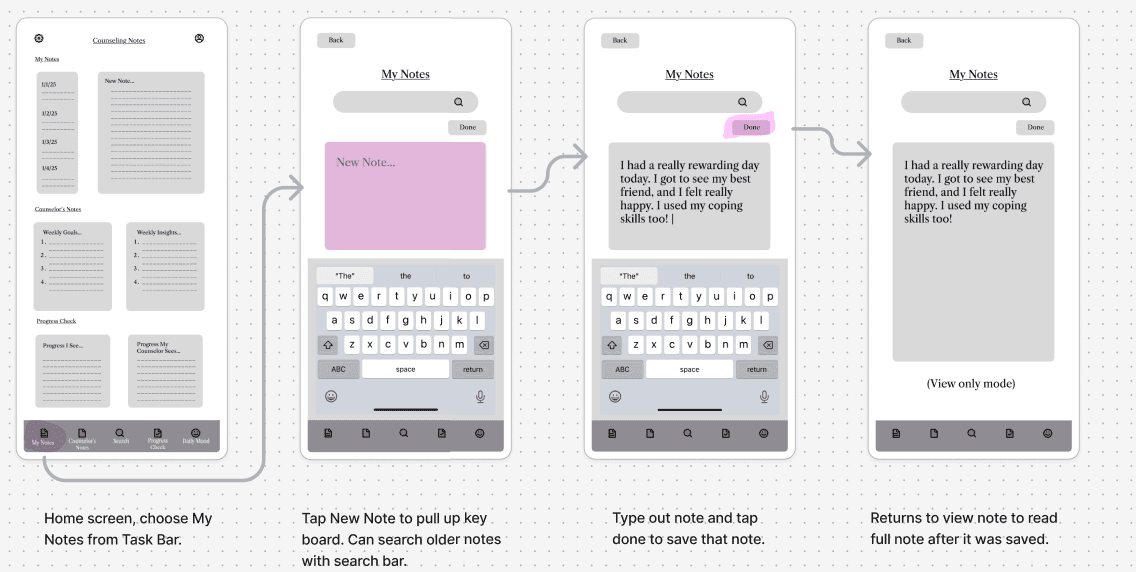
13- Wireframes
I created low-fidelity wireframes showing the components of each screen based on user suggestions, wants, and needs.
Interface
14- Moodboard
I set the tone of the app by creating a mood board. A subtle rainbow theme was chosen to welcome users to the app with a bright and happy vibe.

15- Style Guide
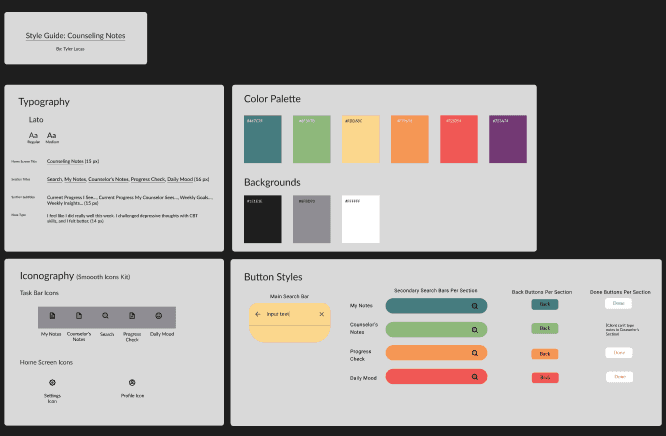
Creating a style guide allowed me to standardize the colors, icons, and fonts that I used while making the high fidelity mockups of the app so that I was using the same themes throughout the app to achieve design consistency.
Link to prototype:
https://www.figma.com/proto/DzjlmxqwRsZ3B0lIEMBaqu/Hifi-Red-Routes--Counseling-Notes?page-id=0%3A1&node-id=1-56&viewport=-4214%2C465%2C0.5&t=Yz7Wd31IUIXcwKLw-1&scaling=scale-down&content-scaling=fixed&starting-point-node-id=1%3A56&show-proto-sidebar=1
16- Prototype
After iterating on my low-fidelity wireframes several times I created high-fidelity screens. I then created a basic prototype using Figma’s prototype feature displaying how the app would look and function.
17- Usability Testing: Results & Insights
To maintain my user-centered approach, I returned to the users and tested the prototype with them in multiple rounds of usability testing to see what insights they had to share with me on the app. I learned about the app’s strengths, weaknesses, and even possible new features and notes sections that could be added. One of the users’ main pain points while navigating the prototype was the search notes feature. After adjusting the search red route in the prototype, there were less hesitations and misclicks by the users. Users had many helpful suggestions on the layout and design of the app which I used to redesign certain screens of the app. Overall, users were excited to start using the app for their counseling notes based on its simplicity and helpful features.
Key Learnings
The importance of user research and testing.
The heart of UX design is the user and user research and testing allow us to get a glimpse into how users are thinking, acting, feeling, etc. which will guide us through every step of the design process to create apps, websites, and products that users find enjoyable, useful, and delightful.
By checking in with users throughout the design process, I optimized Counseling Notes for the clients that are actually going to be using the app, customizing it for the best experience they could have, not just what I as a designer thought the app should be.